New Vertical Motion & Energy Simulator
NEW
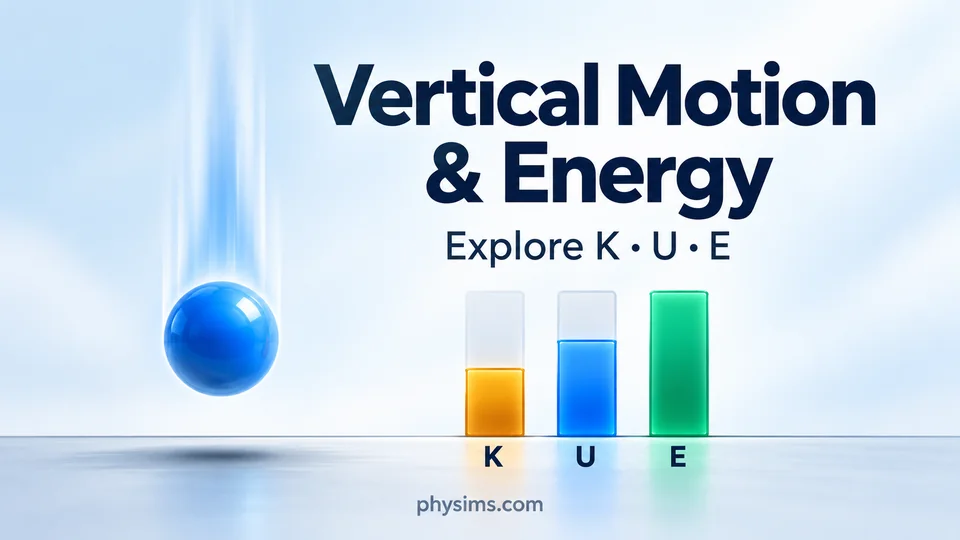
Vertical Motion & Energy – Explore K, U and E
Watch kinetic energy, gravitational potential energy and mechanical energy change as a ball rises and falls. Adjust height, velocity, mass and air resistance, then connect the animation to energy-versus-height graphs and live energy bars.
Start with one ball or compare two balls. Explore E = U + K, investigate energy loss with air resistance, and pause to advance the motion frame by frame.
Explore the Energy Simulator
Kinetic, Potential and Mechanical Energy in Vertical Motion
The PHYSIMS vertical motion and energy simulator helps students connect a moving ball with the energy equations they study in physics. Launch a ball upward or let it fall, change its mass and initial conditions, and observe how its energy changes with height. The animation, three energy graphs and live bar chart provide complementary views of the same motion.
Understand kinetic energy K, potential energy U and mechanical energy E
Kinetic energy is the energy of motion: K = ½mv², where m is mass in kilograms and v is speed in metres per second. Gravitational potential energy is U = mgh, where h is height above the ground and g is the magnitude of gravitational acceleration. The ground is the zero reference for potential energy. Mechanical energy is calculated as E = U + K, and all three energies are measured in joules (J).
As a ball rises, its speed decreases, kinetic energy falls and potential energy increases. At the turning point of a vertical upward launch, the ball is momentarily at rest, so K = 0 while U can remain positive. During the descent, height and potential energy decrease as kinetic energy increases. Compare the displayed U and K values along the motion axis with the current energy bars.
Read energy-versus-height graphs and live energy bars
The horizontal axis of each energy graph represents height. Separate plots show potential energy U, kinetic energy K and their sum E at the sampled heights. The amber K, blue U and green E bars show the current energy values as the animation runs. With air resistance set to zero, mechanical energy stays constant: an increase in one energy is balanced by a decrease in the other.
Investigate energy loss from air resistance
Increase the air-resistance setting to see mechanical energy decrease as the ball moves. The simulator uses a simplified educational model in which the opposing air force is a selected percentage of m|a|, with a representing the acceleration entered without air resistance. This force acts against the direction of motion. The percentage controls the resistance force; it does not mean that the same percentage of total energy is removed on every frame. Energy transferred to the surroundings is not included in E = U + K.
Compare two balls and inspect the motion frame by frame
Use the one-ball mode to focus on energy transfer, or select two balls to compare mass, velocity, height and air resistance. Keep all but one setting fixed for a clear comparison. Pause the simulation and advance by 1, 5, 10 or 30 frames to inspect changes near a turning point or during a fall. Mechanical energy is calculated automatically, while the requested-unknown selector lets learners investigate relationships between motion and energy quantities.
Try a classroom energy-conservation investigation
Begin with zero air resistance and predict how the K and U bars will change during an upward launch. Check the prediction against the graphs, then repeat with resistance and compare E at the same heights. Change the mass while keeping the initial height and speed fixed to explore how energy values scale. These short experiments support virtual physics labs, classroom demonstrations, independent practice and discussions of conservation of mechanical energy.
New Interactive Projectile Motion Simulator
NEW
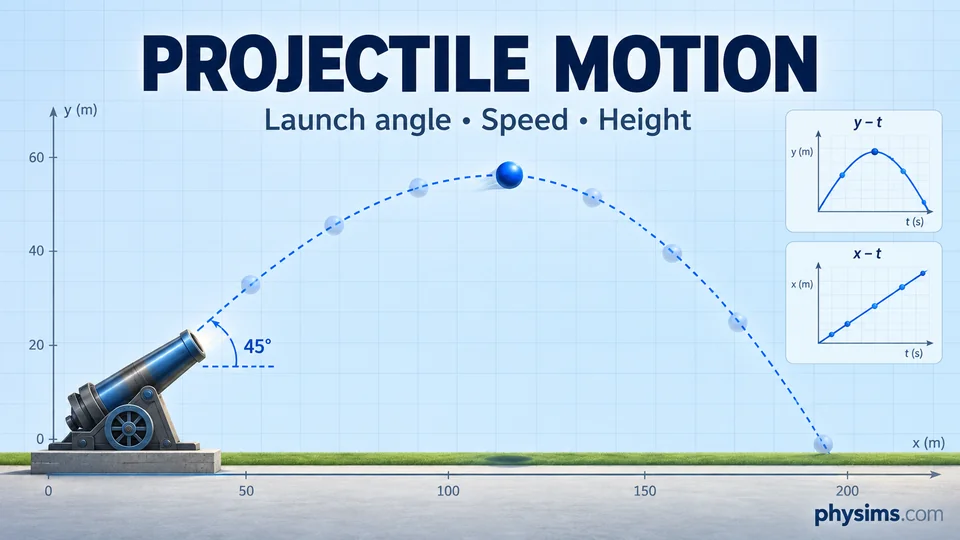
Interactive Projectile Motion Simulator – Launch, Compare and Explore
Explore angled projectile motion with an adjustable cannon. Change launch angle, initial speed, launch height and gravity, then watch the ball follow its trajectory with moving shadows on the ground and vertical axis.
Compare two launches and follow live x–t, y–t and speed–t graphs. See horizontal and vertical velocity components, motion equations, flight time, maximum height and range update with your settings.
Start the Projectile Motion Simulation
Learn Projectile Motion: Launch Angle, Trajectory, Range and Velocity
The PHYSIMS projectile motion simulator connects two-dimensional motion equations with a visible cannon launch and synchronized graphs. Students and teachers can explore how initial speed, launch angle, platform height and gravitational acceleration affect a ball's path. The model assumes constant downward gravity and no air resistance, so the motion can be studied through its horizontal and vertical components.
How launch angle, speed and height change a projectile's path
Keep the initial speed fixed and compare low-angle, steep-angle and vertical launches. A shallow launch gives a larger initial horizontal velocity, while a steeper launch gives a larger initial vertical velocity. When launch and landing heights are equal, a 45° launch gives the greatest range for a fixed speed in this ideal model. Raising the launch platform changes the flight time and the angle that gives the greatest range. Increase y₀ to raise the platform, or set y₀ = 0 to launch from ground level.
Understand horizontal and vertical velocity
For launch speed v₀ and angle θ measured above the horizontal, vₓ = v₀ cos(θ) stays constant and vᵧ(t) = v₀ sin(θ) − gt changes as gravity acts. The position equations are x(t) = v₀ cos(θ)t and y(t) = y₀ + v₀ sin(θ)t − ½gt², where t is measured from each ball's launch. At the top of an angled trajectory, vertical velocity is zero; horizontal velocity continues. The displayed speed is the magnitude √(vₓ² + vᵧ²).
Read the position-time and speed-time graphs
The x–t graph is a straight line because horizontal velocity is constant. The y–t graph curves downward as gravity changes the vertical velocity. The speed–t graph shows the ball slowing on the way up and speeding up on the way down. Ground and y-axis shadows help connect the moving ball to its horizontal position and height. Each trajectory ends when the ball reaches the ground; rebounds and air drag are excluded.
Compare two launches in a virtual physics lab
Select two balls to compare different launch angles, speeds, heights or gravity settings, and use the second ball's start delay to separate the launches in time. Change one setting at a time, predict the effect on range or peak height, and compare your prediction with the animation, calculated results and graphs. Use these experiments for classroom demonstrations, independent study and introductory kinematics investigations.
New Interactive Vertical Motion Simulator
NEW
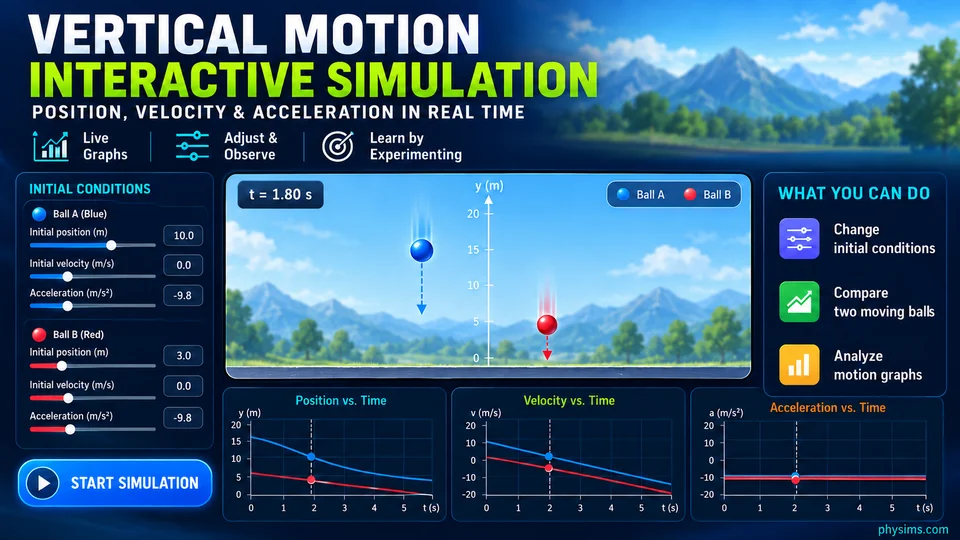
Interactive Vertical Motion Simulator –
Compare Two Moving Balls in Real Time
Explore vertical motion under gravity with an interactive
physics simulation designed for students and teachers.
Set the initial height, initial velocity, acceleration,
final position, and launch delay for two balls, then observe
how their motion changes over time.
Compare both objects on the same vertical axis and analyze
synchronized position-time, velocity-time, and
acceleration-time graphs. Investigate upward motion,
free fall, turning points, stopping time, and the position
and time at which the two balls meet.
Start the Vertical Motion Simulation
Learn Vertical Motion, Free Fall, Velocity and Acceleration
The PHYSIMS interactive vertical motion simulator
helps learners connect kinematics equations with visible motion
and real-time graphs. Students can compare two balls with different
initial positions, velocities, accelerations, and start delays while
observing their displacement along a shared vertical axis.
Use the simulation to study motion under gravity,
upward launches, free fall, maximum height, direction changes,
stopping points, meeting time, and the relationships between
position, velocity, acceleration, and time. The synchronized graphs
make the activity useful for classroom demonstrations, homework,
virtual physics labs, and independent practice.
Interactive Kinematics Simulation
Interactive Kinematics Simulation –
One-Dimensional Motion & Graphs
Explore one-dimensional motion through an interactive
real-time physics simulation.
Change initial position, velocity, and acceleration,
observe the moving object, and analyze position-time,
velocity-time, and acceleration-time graphs.
Investigate constant velocity, acceleration,
direction of motion, stopping, reversing direction,
and the motion of two moving objects.
One-Dimensional Motion, Kinematics and Motion Graphs
The PHYSIMS interactive kinematics simulation allows students
to investigate one-dimensional motion by
changing initial position, initial velocity, and acceleration.
Students can observe the physical motion while simultaneously
analyzing position-time, velocity-time, and acceleration-time
graphs.
Change Initial Position, Velocity, and Acceleration
Students can change the main parameters of motion and immediately
observe how each parameter affects the behavior of the moving
object.
The simulation can be used to investigate initial position,
initial velocity, acceleration, and direction of motion.
Position-Time Graph and Velocity
The position-time graph provides a visual representation of
how position changes with time.
Students can investigate constant position, constant velocity,
positive velocity, negative velocity, changing velocity,
and changing slope.
The slope of a position-time graph can be connected directly
to the velocity of the moving object.
Velocity-Time Graph and Acceleration
The velocity-time graph allows students to investigate how
velocity changes with time.
By changing acceleration, students can observe how the slope
of the velocity-time graph changes.
Students can explore positive and negative acceleration,
positive and negative velocity, speeding up, slowing down,
stopping, and reversing direction.
Acceleration and Direction of Motion
Students can compare positive and negative velocity with
positive and negative acceleration.
This helps students understand that positive acceleration
does not necessarily mean that an object is speeding up.
Two-Object Motion and Relative Motion
The simulation can also be used to investigate the motion
of two objects with different initial positions, velocities,
and accelerations.
Students can investigate meeting points, catch-up problems,
overtaking, relative motion, and graph comparisons.
Compare Two Moving Objects Using Kinematics Graphs
Students can predict whether two objects will meet, run the
simulation, and compare their predictions with the physical
animation and graphs.
They can determine when and where the objects meet and analyze
the intersection of their position-time graphs.
Interactive Electrostatics Simulations
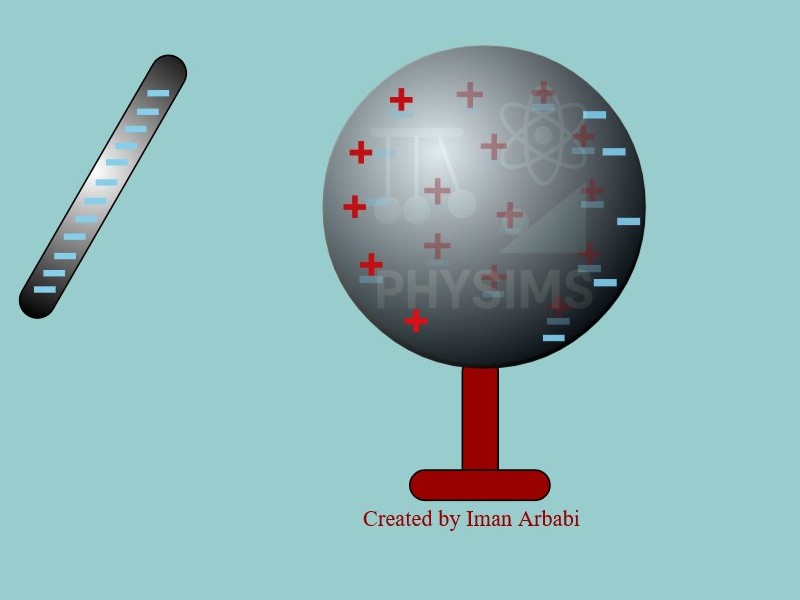
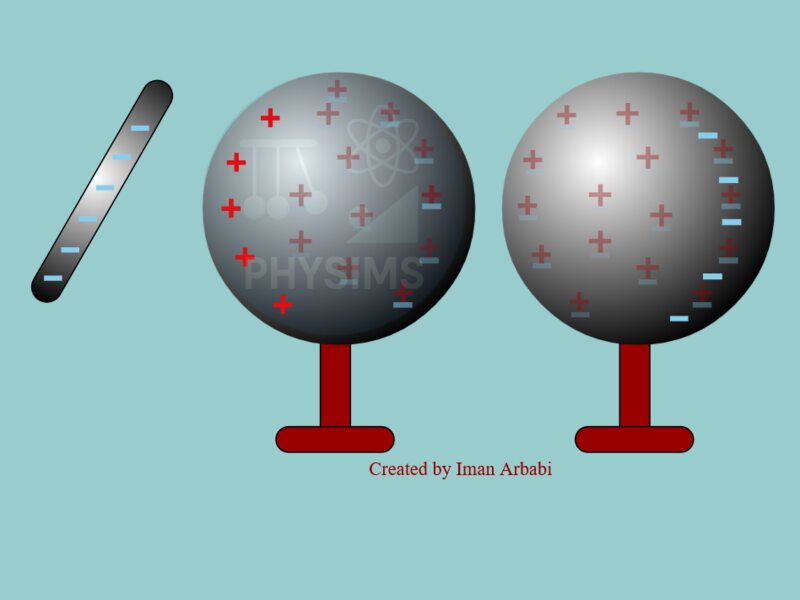
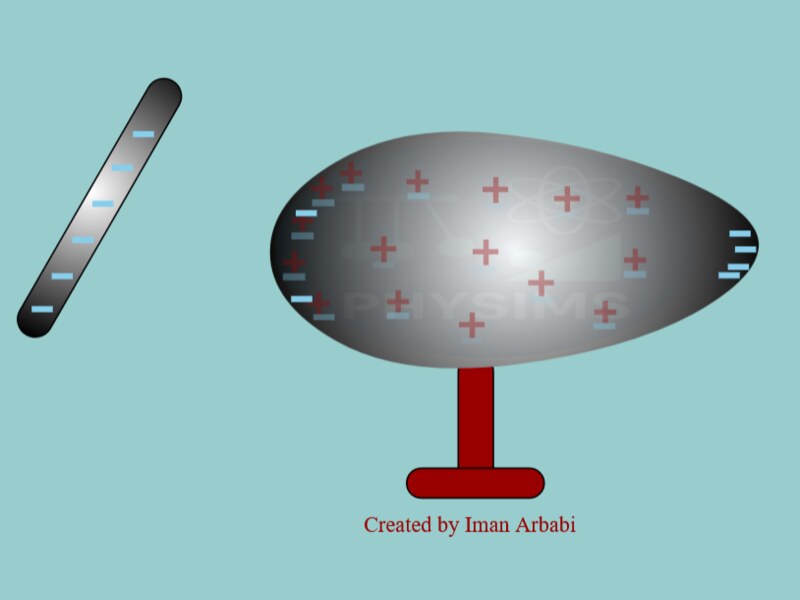
Electric Charge Induction in a Conducting Sphere
Move a negatively charged rod near a conducting sphere
and observe electric charge redistribution and
electrostatic induction.
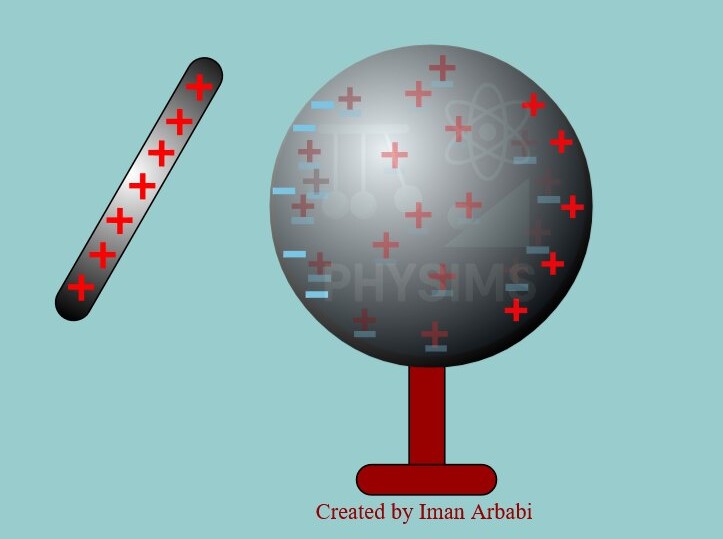
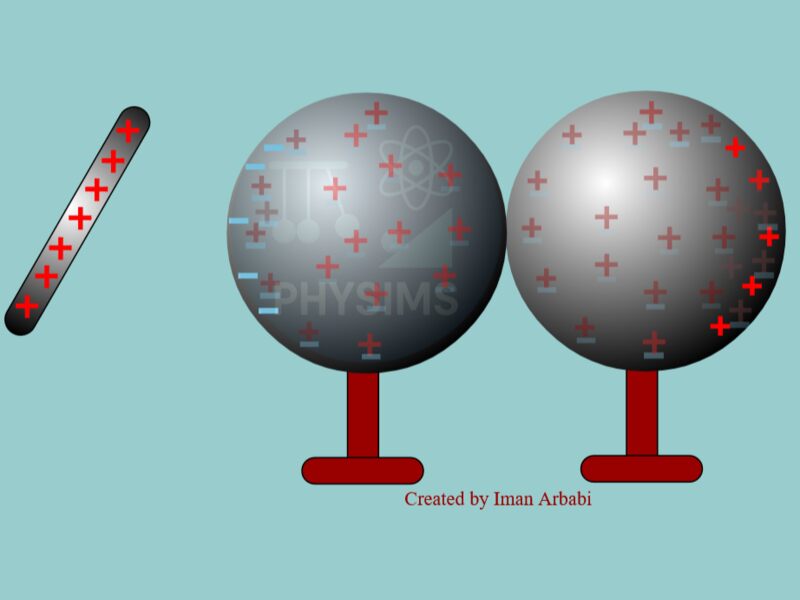
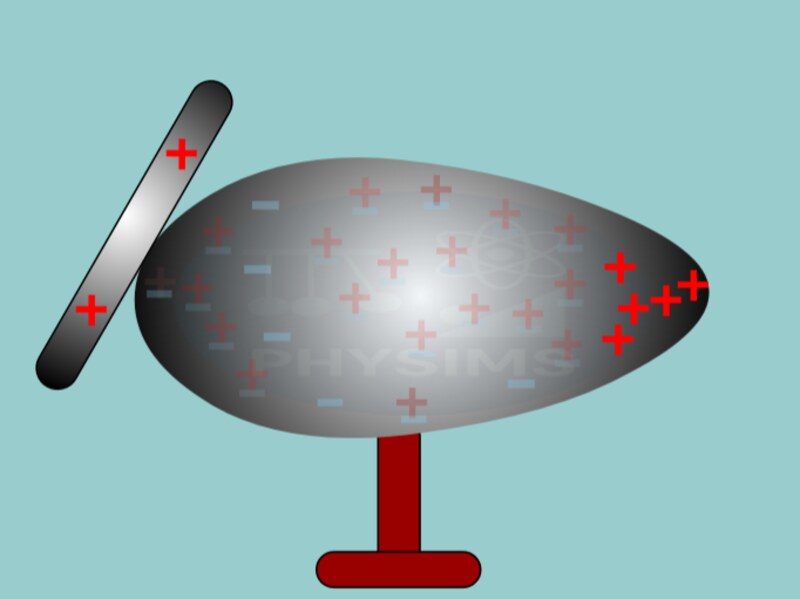
Electric Charge Induction – Positive Charged Rod
Investigate how a positively charged rod affects the
distribution of electric charge in a conducting sphere.
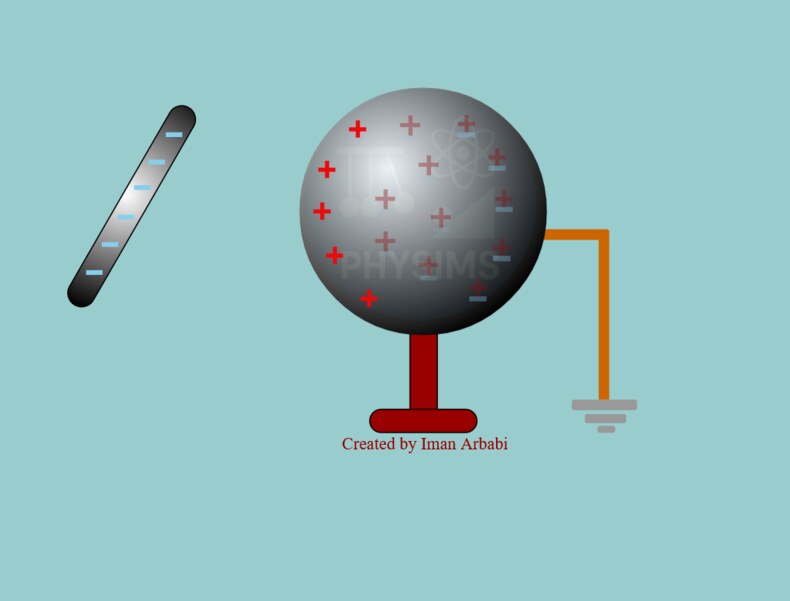
Charging a Grounded Conducting Sphere by Induction
Bring a negatively charged rod close to a grounded
conducting sphere and observe changes in charge
distribution and net charge.
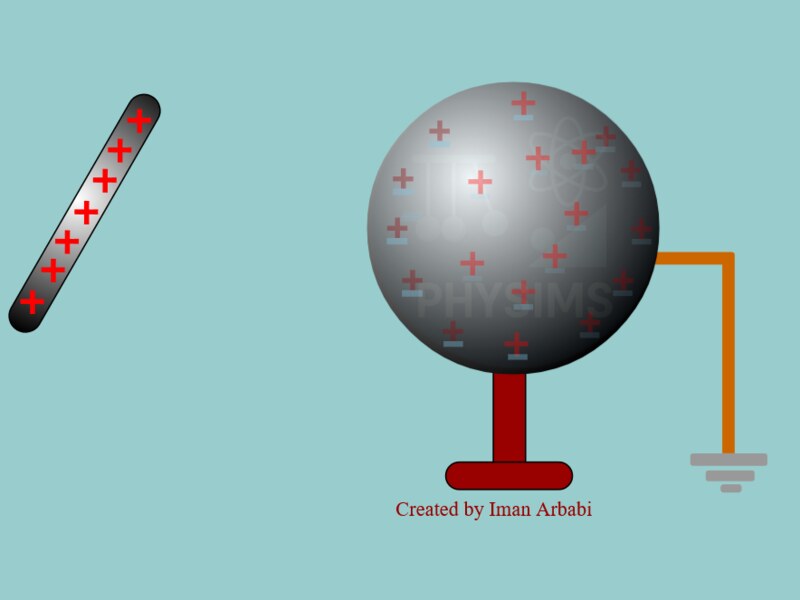
Grounded Conducting Sphere – Positive Charged Rod
Observe how a positively charged rod changes charge
distribution and net charge when the conducting sphere
is connected to ground.
Separation of Electric Charge by Induction
Observe charge separation in conducting spheres when
a negatively charged rod is brought nearby.
Electric Charge Separation – Positive Rod
Explore how a positively charged rod causes charge
separation and redistribution in conducting spheres.
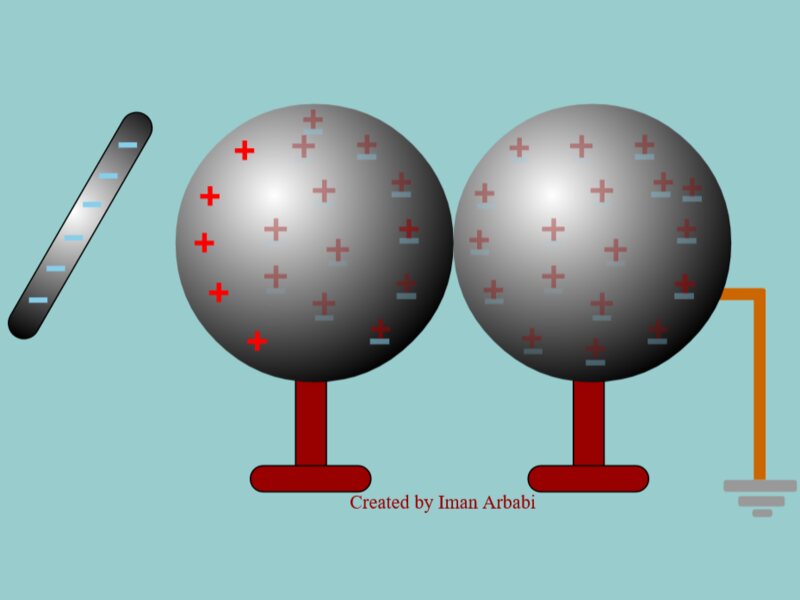
Charging Two Conducting Spheres by Induction
Investigate charging two conducting spheres in contact
with the ground using a negatively charged rod.
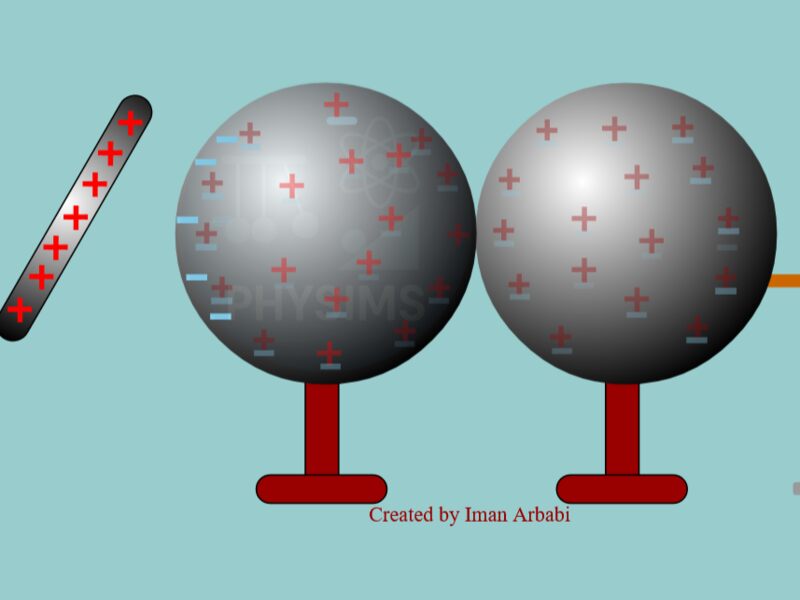
Charging Two Conducting Spheres – Positive Rod
Explore charge distribution and charging by induction
using two conducting spheres and a positively charged rod.
Charge Distribution in Conducting Bodies
Investigate the relationship between electric charge
density and the radius of curvature of conducting bodies.
Charge Distribution and Radius of Curvature
Observe how the shape of a conductor affects
electric charge distribution.
Electric Charge, Electrostatics, Charge Distribution and Induction
PHYSIMS interactive electrostatics simulations allow students
to investigate electric charge, charge redistribution,
conducting spheres, electrostatic induction, grounding,
polarization, and charge distribution.
Students can interact with charged objects and observe
how electric charges redistribute themselves.
Electric Charge Distribution in Conductors
Students can investigate how electric charge is distributed
on conducting objects and explore attraction, repulsion,
charge separation, polarization, and net electric charge.
Electrostatic Induction in a Conducting Sphere
Bring a positively or negatively charged rod near a conducting
sphere and observe how charges redistribute.
Students can compare the initial state with the charge
distribution during and after the interaction.
Charging by Induction and Grounding
Students can investigate what happens when a charged rod is
brought near a grounded conducting sphere.
The activity provides a visual way to explore charge transfer,
grounding, and charging by induction.
Charge Separation and Polarization
Students can compare positive and negative charged rods
and investigate how the direction of charge separation
changes in conducting objects.
Electric Charge Density and Radius of Curvature
The conducting-body simulations can be used to investigate
the relationship between the shape of a conductor,
radius of curvature, and electric charge distribution.
Interactive Electroscope Simulation
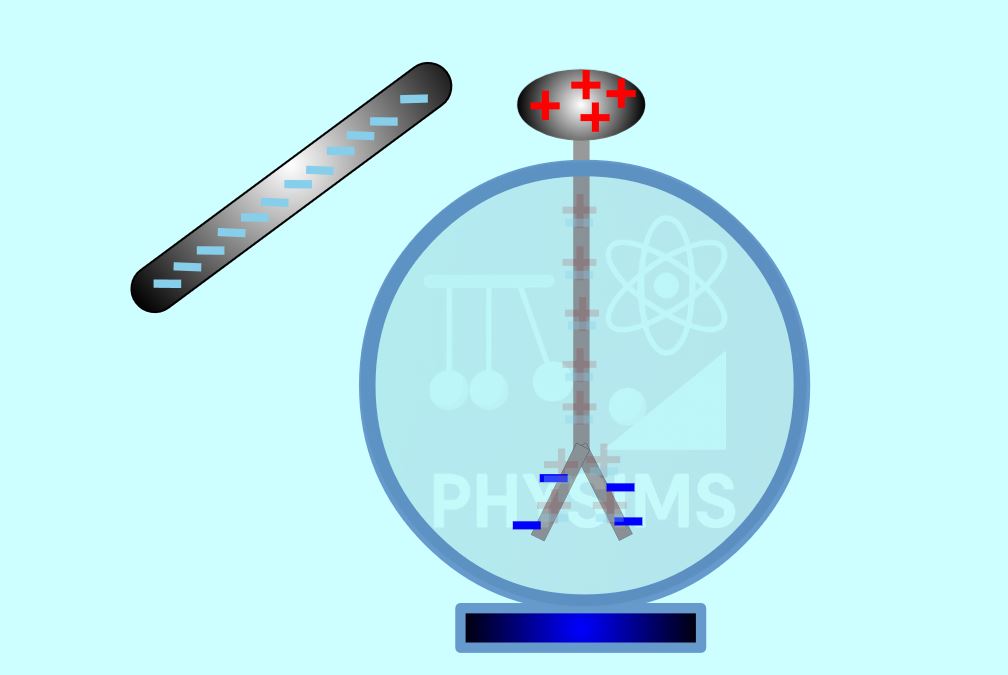
Interactive Electroscope Simulation
Work interactively with an electroscope by bringing
a negatively charged rod near the electroscope and
then making contact.
Observe charge redistribution and the movement
of the electroscope leaves.
How to Use an Electroscope to Study Electric Charge
An electroscope provides a visual way to investigate
electrostatic induction, charge separation, charge transfer,
and charging by contact.
Electroscope and Electrostatic Induction
Start with a neutral electroscope and bring a charged object
near it.
Observe the movement of the leaves and explain the result
using electric charge redistribution.
Charging an Electroscope by Contact
Students can compare bringing a charged object near the
electroscope with touching the electroscope using the
charged object.
This allows students to distinguish induction from
charging by contact.
Electric Charge and Charged Particles
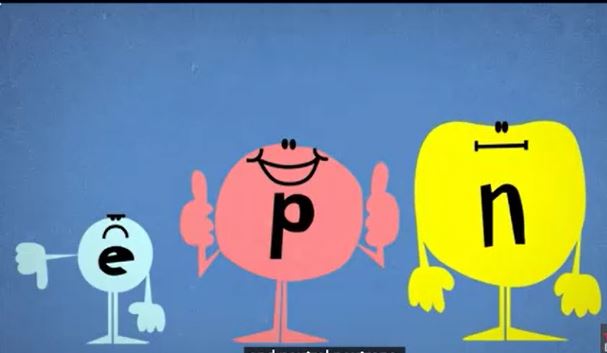
Electric Charge and Charged Particles
How is electric charge exchanged between objects?
What is the source of electric charge in materials?
How are charged particles arranged in atoms?
Interactive Electric Circuits and Ohm's Law
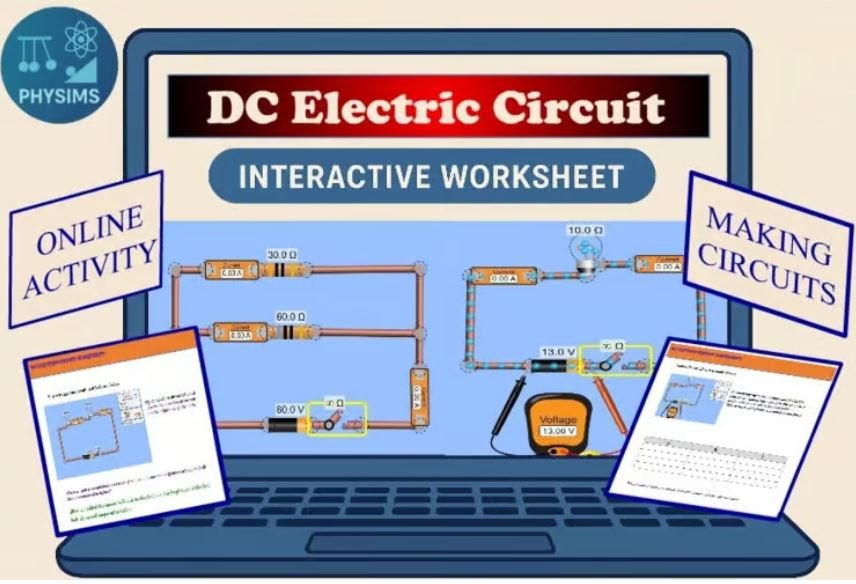
Ohm's Law Interactive Worksheet |
PhET Electric Circuit Lab
Build simple DC circuits, measure voltage and current,
and investigate Ohm's law through hands-on exploration
using a PhET interactive simulation.
Electric Circuits, Voltage, Current, Resistance and Ohm's Law
PHYSIMS provides interactive electric circuit activities
using PhET simulations.
Students can build simple DC circuits, measure voltage
and current, change resistance, and investigate the
relationship between voltage, current, and resistance.
PhET Electric Circuit Simulation Activities
Students can build a circuit, add a battery and resistor
or light bulb, measure voltage and current, change
resistance, and observe the resulting changes.
Investigating Ohm's Law with a Physics Simulation
Students can keep one variable constant while changing
another variable and use experimental observations to
investigate Ohm's law.
This approach connects circuit measurements with the
mathematical relationship between voltage, current,
and resistance.
Interactive Density Physics Activities
Density, Mass and Volume in Physics
Density activities help students connect mass and volume
with the physical properties of different materials.
Interactive activities can be combined with measurements,
calculations, tables, and physics practice questions.
Density, Mass and Volume
Students can investigate how changing mass or volume
affects density and compare different materials.
Density activities can also be connected to real-world
questions involving floating, sinking, liquids,
and material identification.
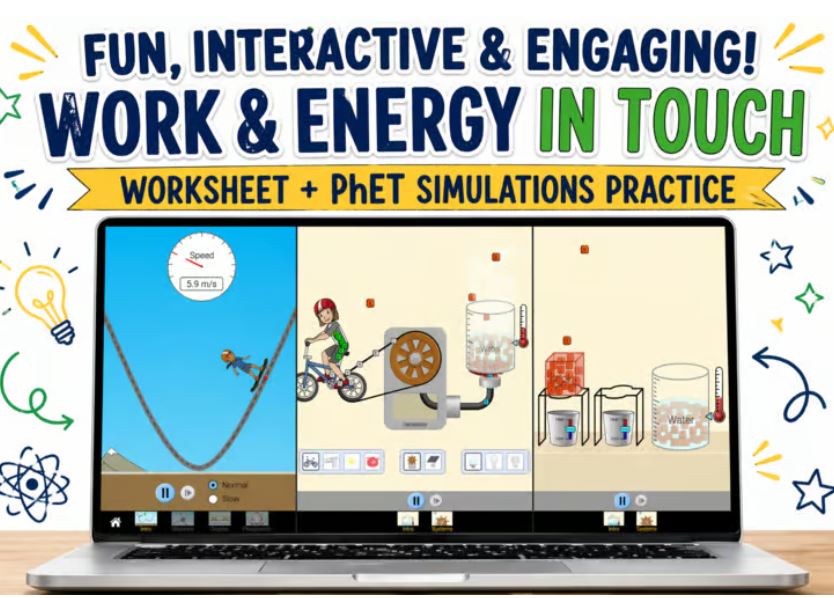
Interactive Work and Energy Physics Activities
Work and Energy Basics Worksheet
with PhET Simulations
Explore how forces do work and how energy changes
forms through interactive and visual simulations.
Students investigate kinetic, potential, thermal,
and other forms of energy.
Work, Force, Displacement and Energy
PHYSIMS provides activities for exploring
work and energy through interactive
and visual physics simulations.
Students can investigate force, displacement, work,
kinetic energy, potential energy, thermal energy,
energy transfer, and conservation of energy.
Work, Force and Displacement
Students can investigate how force and displacement
affect the work done on an object and connect the
physical situation with mathematical relationships.
Kinetic, Potential and Thermal Energy
Interactive simulations help students observe how
energy changes from one form to another and how
energy can be transferred between objects or systems.
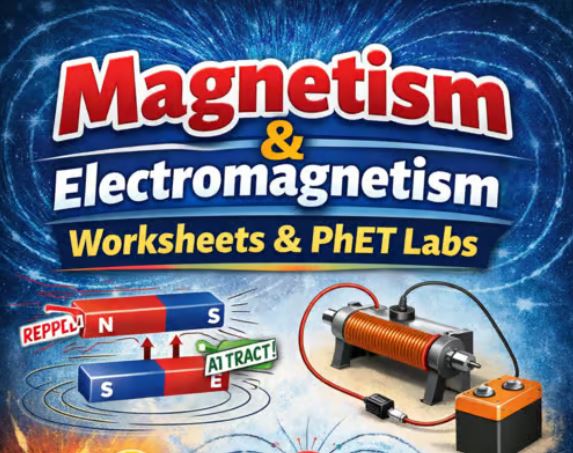
Interactive Magnetism and Electromagnetism Activities
Complete Magnetism Unit Worksheet
Explore magnetic fields, electromagnets,
generators, and electromagnetic phenomena
through structured middle school physics activities
and PhET simulations.
PhET Simulation Activities and Interactive Physics Worksheets
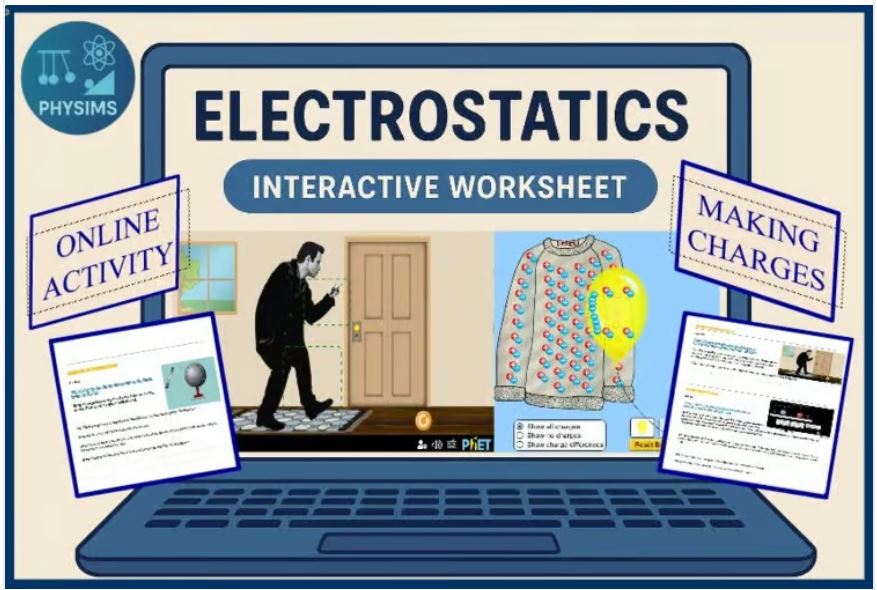
Electric Charge Interactive Worksheet
Guide students through the basics of electric charge
using interactive simulations and structured questions.
How to Learn Physics with PhET Simulations
PHYSIMS uses structured activities with
PhET Interactive Simulations as virtual
laboratories.
Students can explore physics concepts, perform virtual
experiments, collect evidence, and answer guided questions.
Predict, Explore, Measure and Explain
A useful approach is to begin with a prediction,
interact with the simulation, change one variable at a time,
observe the result, record measurements, and explain
the physical behavior.
This method can be applied to electric circuits,
Ohm's law, magnetism, work and energy, electric charge,
and other physics topics.
Standards-Aligned Physics Questions and Practice Problems
PHYSIMS activities can be combined with standards-aligned
physics questions covering conceptual understanding,
graphical analysis, calculations, experimentation,
and real-world applications.
Kinematics Practice Questions
-
Analyze a position-time graph and determine the type of motion.
-
Determine velocity from the slope of a position-time graph.
-
Analyze a velocity-time graph.
-
Determine how acceleration affects velocity.
-
Compare the motion of two objects.
-
Predict whether two moving objects will meet.
-
Determine the meeting time and position.
-
Explain why an object can have negative velocity and
positive acceleration.
Electrostatics Practice Questions
-
Explain electric charge redistribution in a conductor.
-
Explain electrostatic induction.
-
Compare induction and charging by contact.
-
Explain the effect of grounding.
-
Analyze charge distribution on conducting objects.
-
Explain the behavior of an electroscope.
Electric Circuit and Ohm's Law Questions
-
Explain the relationship between voltage and current.
-
Predict the effect of increasing resistance.
-
Analyze circuit measurements.
-
Use experimental data to investigate Ohm's law.
Density, Work and Energy Questions
Students can also practice problems involving density,
mass, volume, force, displacement, work, kinetic energy,
potential energy, energy transfer, and conservation of energy.
Learn Physics by Changing Parameters and Observing Behavior
The purpose of an interactive physics simulation is not
simply to watch an animation.
Students should actively manipulate the model and investigate
cause-and-effect relationships.
Predict the Physical Behavior
Before running the simulation, students should predict
what will happen when a parameter is changed.
Change One Parameter at a Time
Changing one variable while keeping the others constant
makes it easier to identify cause-and-effect relationships.
Observe and Compare
Students should compare the original and modified situations
and identify what changed.
Analyze Graphs and Measurements
Graphs provide a bridge between the physical animation
and the mathematical description of the phenomenon.
Explain the Physics
Students should explain the observed behavior using
physics concepts, equations, graphs, and evidence
from the simulation.
Physics Simulations for Teachers and Students
PHYSIMS interactive physics simulations can be used
in classrooms, virtual labs, homework assignments,
guided investigations, review activities, and
standards-aligned physics practice.
- Whole-class demonstrations
- Guided physics investigations
- Virtual physics laboratories
- Interactive worksheets
- Homework activities
- Conceptual physics questions
- Graphing activities
- Standards-aligned practice
- Physics review
- Real-world physics investigations
About PHYSIMS
I am Iman Arbabi, a high school physics teacher who began
teaching physics in 2000.
Because of my interest in computer programming, I create
interactive physics simulations and use them in my classes,
sharing them through the web with other physics teachers
and students.
Interactive physics simulation software can help students
visualize concepts that are difficult to understand through
static diagrams or equations alone.
PHYSIMS is designed to make physics more visual,
interactive, and connected to experimentation.
PHYSICS SIMULATIONS FOR TEACHERS AND STUDENTS
PHYSICS
KINEMATICS
ONE-DIMENSIONAL MOTION
MOTION GRAPHS
ELECTRIC CHARGE
ELECTROSTATICS
CHARGE INDUCTION
ELECTROSCOPE
ELECTRIC CIRCUITS
OHM'S LAW
DENSITY
WORK AND ENERGY
PHET SIMULATIONS
PHYSICS WORKSHEETS
VIRTUAL LABS